Docs MCP server
Page summary:A Docs MCP server exposes the Strapi documentation to AI coding tools. Connect it to your IDE to get Strapi-aware code suggestions and answers directly in your development environment. The server at
https://strapi-docs.mcp.kapa.airequires OAuth. A request without a bearer token, including MCPinitialize, returns 401. Protected-resource metadata is published athttps://strapi-docs.mcp.kapa.ai/.well-known/oauth-protected-resource.
The Docs MCP (Model Context Protocol) server is powered by Kapa, the same service behind the Ask AI button on the documentation website. It draws from the full Strapi documentation, including guides, API references, and code examples. The Docs MCP server is part of the AI tools for developers that Strapi offers.
Strapi offers 2 different MCP servers:
- the Docs MCP server, covered on the present page,
- and the Strapi MCP server for content management, covered on its dedicated feature page.
Compatible tools
The MCP server works with any tool that supports the MCP protocol, including:
- Cursor
- VS Code with GitHub Copilot
- Claude Code
- Windsurf
- Any other MCP-compatible IDE or tool
Connection details
When opening the Ask AI window, you should see a Use MCP dropdown in the top right corner. Click on it and choose which tool you'd like to connect:
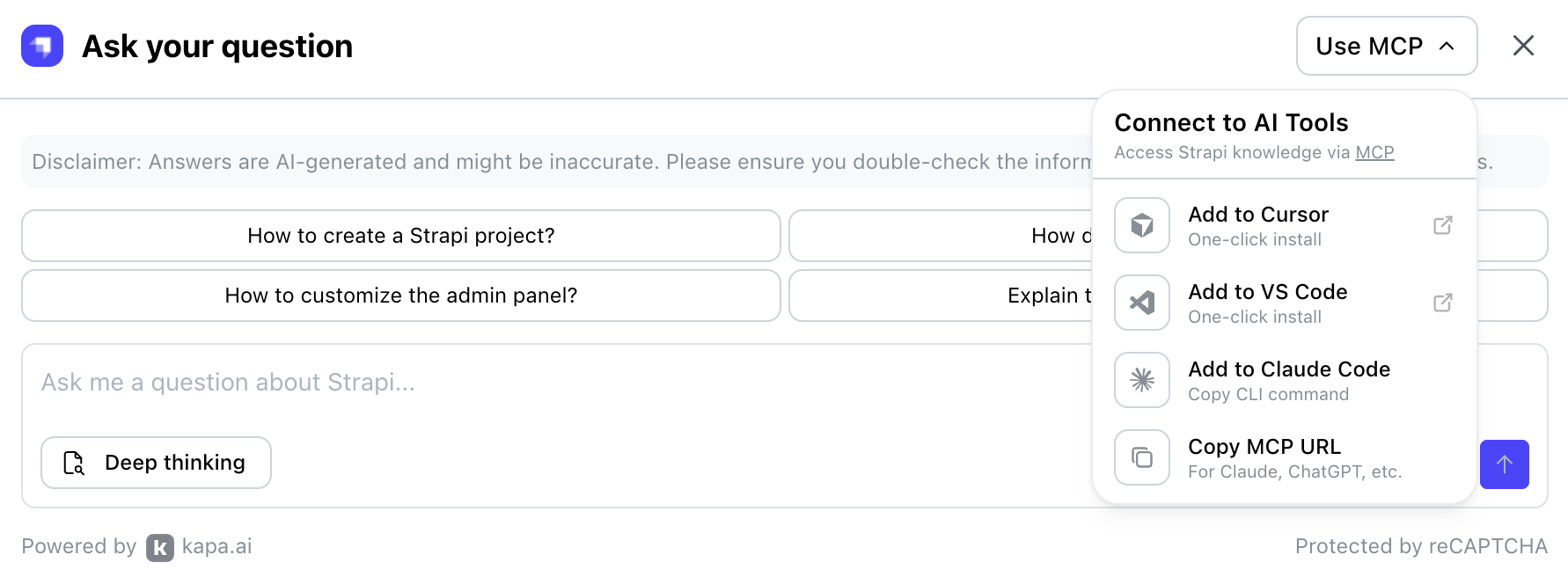
If manual MCP server configuration is required:
-
Click the Copy MCP URL from the dropdown. The server URL should be:
https://strapi-docs.mcp.kapa.ai -
Add the server to your IDE's MCP configuration file:
- Cursor
- VS Code
- Windsurf
Add to your
.cursor/mcp.jsonfile:.cursor/mcp.json{
"mcpServers": {
"strapi-docs": {
"url": "https://strapi-docs.mcp.kapa.ai"
}
}
}Add to your
.vscode/mcp.jsonfile:.vscode/mcp.json{
"servers": {
"strapi-docs": {
"type": "http",
"url": "https://strapi-docs.mcp.kapa.ai"
}
}
}Add to your
~/.codeium/windsurf/mcp_config.jsonfile:~/.codeium/windsurf/mcp_config.json{
"mcpServers": {
"strapi-docs": {
"serverUrl": "https://strapi-docs.mcp.kapa.ai"
}
}
}
Authentication
The Docs MCP server requires OAuth. A request without a bearer token, including the MCP initialize method, returns HTTP 401. OAuth protected-resource metadata is published at https://strapi-docs.mcp.kapa.ai/.well-known/oauth-protected-resource.
That metadata names the authorization server https://mcp.kapa.ai/auth/public, the openid scope, and bearer tokens in the Authorization header.
Once connected, your AI coding assistant can query the Strapi documentation directly to answer questions, suggest implementations, and verify API usage.
For docs-related questions, start your prompts with Use the strapi-docs MCP server to answer:. This will ensure the tool queries docs.strapi.io instead of returning answers based on its training data, which can be outdated.
Tips for better results
The following tips will help you fine-tune your prompts to get the best results:
- Use the Docs MCP server in your IDE for the fastest developer experience. For docs-related questions, prefix your prompt with
Use the strapi-docs MCP server to answer:so the tool queries docs.strapi.io instead of using potentially outdated training data. - Include the page URL so the assistant grounds its answer in the right context.
- Mention your Strapi version (e.g., Strapi 5) to avoid outdated suggestions.
- Pair code examples with their source page when sharing snippets from
llms-code.txt. - Prefer documented APIs over private internals when asking for code generation.